 SmartHub
 Automation
 Appointment Scheduler
 Lead Management
 Dashboard & Reports
 Task Management
 Communications Hub
 Managed chat
 Voice Receptionist
 Appointment scheduling
 Retainer signing
 Home services
 Lawyers and firms
 Medical services
 College admissions
 Real estate agents
 Marketing agencies
 About
About Partner program
 Estimate Your ROI
 Case Studies
 Blog
Blog FAQs
FAQs Login
LoginBest Live Chat Software for Business: One Inbox, All Channels




Products
Industries
Company
Resources

Your customers will not wait around. One sends a message on Instagram. Another fires off an email. A third opens your chat widget while browsing your pricing page. And your team is somewhere in the middle of all that, trying to keep up without losing their mind.
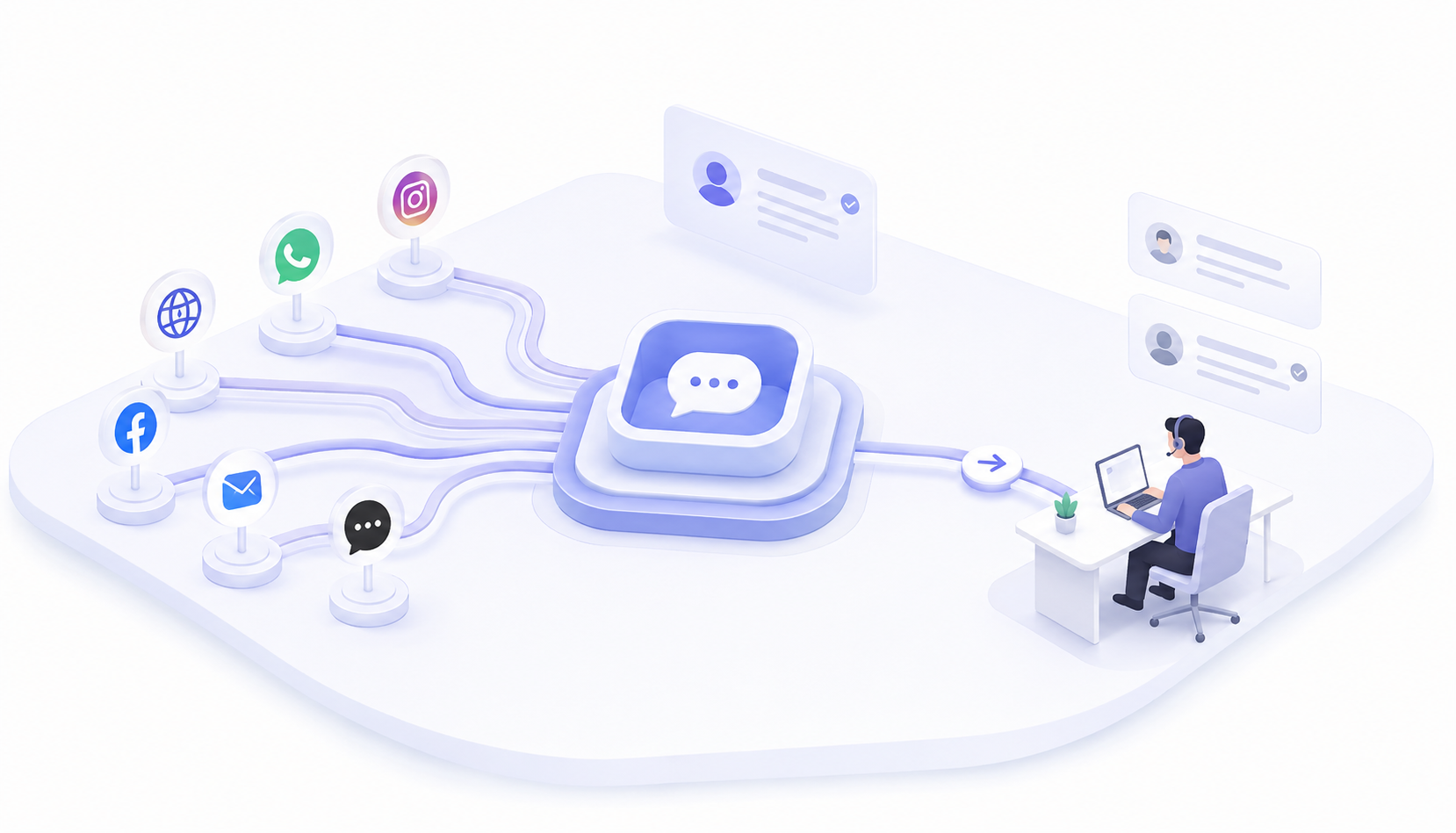
This is not a rare situation. It is what most growing businesses deal with every single day. The best live chat software for business fixes this by pulling every conversation into one inbox your team can actually manage. No more tab switching. No more "wait, did someone already reply to this?"
In this guide, you will find out what features actually matter, which tools are worth your time, and how to make the right call for your team.

Managing customer messages across multiple channels creates real gaps. Agents miss things, repeat work, and lose time chasing conversations instead of closing them.
It usually starts small. A Facebook message here. A contact form is there. Then your business picks up, and suddenly you have six channels with no real system holding them together. Customers start sending the same question twice because no one replied fast enough. Agents start duplicating responses because there is no shared view of what has already been said.
That's where omnichannel customer service software with live chat earns its place. Not as a trendy addition, but as the thing that stops your support from falling apart at the seams. Without it, your team is always reacting. Always behind. And honestly, that wears people down faster than a high ticket volume ever could.
Scattered conversations hurt your team and your customers. That is the problem worth solving first.

The best live chat software for business goes beyond a widget on your homepage. It connects your channels, handles routine queries, and gives agents the context they need before they type a single word.
There is a meaningful difference between a chat tool and a real communication platform. One handles messages. The other handles your entire support operation. Knowing which one you need before you start comparing options saves a lot of wasted time.
Day-to-day conversations need a solid base. Without the right setup, your team ends up managing the tool instead of managing the customer.
Here is what that base should include:
Shared inbox that collects every channel into one view your whole team can access Real-time live chat with typing indicators so agents know a reply is coming Canned responses for questions that come up daily, saving time without sounding robotic Chatbot automation that handles simple queries after hours or when volume spikes CRM integration so agents see who they are talking to before the conversation starts Contact tagging to sort conversations by urgency, topic, or assigned team
Good multi-channel customer support software makes sure none of these features work in isolation. They feed into each other. That is what keeps your team moving and your customers feeling like someone is actually paying attention.
Scaling support is not about hiring more people. It is about giving the people you already have a setup that lets them handle more without burning out or dropping the ball.
Smart routing sends the right conversation to the right agent automatically. Analytics show you where things slow down, what your response times actually look like, and which agents might need support. Mobile access means support does not stop when someone steps away from their desk, which matters more than most managers want to admit.
Role permissions keep sensitive conversations protected. Internal notes let agents collaborate without the customer ever seeing them. None of this is fancy. It is just what separates a basic tool from the best shared inbox tool for customer support teams that actually holds up when things get busy.
The right features turn a small team into one that punches well above its size.

One platform means agents walk into every conversation with full context. No digging. No asking the customer to repeat themselves for the third time.
When your team works from a single inbox, the dynamic shifts. Conversations stop disappearing. Agents stop second-guessing whether someone else already replied. A customer who emailed on Monday and chatted on Wednesday? Their whole history is right there in one thread. That alone changes the quality of every interaction.
Automation takes care of the repetitive stuff, FAQs, order status, and basic troubleshooting, so agents can spend their energy on conversations that actually need a person. The result is faster resolution, fewer frustrated customers, and agents who are not constantly playing catch-up.
An all-in-one customer communication platform does not just change how your team chats. It changes how your whole support operation feels from the inside.
Not every tool fits every team. The right choice comes down to your channels, your headcount, and how much you want automation to do the heavy lifting.
Some platforms look polished in a demo and then create three new problems once you actually use them. Others are priced for enterprise teams and feel like overkill for a business with twelve people on support. Pricing matters, but so does how long setup actually takes and whether your team will use it six months from now. That is what separates decent customer communication software for businesses from one that sticks.
We at Blazeo worked with many businesses that stitch together four different tools and still miss messages. Still, our platform brings live chat, shared inbox, automation, and multichannel support into one place without making things complicated.
Getting started does not require a technical team. You connect your channels, set your routing preferences, and you are live. Everything your agents need is already in one place, which is kind of the whole point. This is customer communication software for businesses built around how real teams work, not how a product roadmap assumes they should.
Other tools have their strengths. But gaps show up quickly once you move past the demo. Some handle email well and treat live chat as an afterthought. Others charge premium rates for features a small business will never touch. A few have solid automation but require developer support to configure anything beyond the basics. That is a genuine problem if your team does not have that kind of resource sitting around.
Multi-channel customer support software should cover your actual channels without forcing you into a pricing tier built for a company ten times your size. Knowing where tools fall short helps you ask better questions before you sign anything.
Setting up omnichannel support is more straightforward than most businesses assume. The right tool walks you through it without needing a technical team standing by.
A practical order that actually works:
Connect your two highest-volume channels first, usually email and live chat Set routing rules so conversations land with the right agent from the start Configure your chatbot for the handful of questions that come up every single day Build a small set of canned responses your team can use immediately Run one focused training session before going live rather than a week of onboarding Add more channels once the team is settled and confident with the basics
Starting narrow and expanding later is smarter than connecting everything on day one and overwhelming your team before they find their footing. Omnichannel customer service software with live chat works best when people have time to get comfortable rather than being thrown in at the deep end.
A good setup gets your team's lives faster. That is the whole goal.
A shared inbox gives every agent the same view of every conversation. It cuts the confusion around ownership, context, and who last touched a thread.
Without it, support runs on guesswork. Did someone reply to this already? Is another agent handling it? Did this customer's message just vanish into the void? These are the questions that waste twenty minutes of every hour and quietly erode customer trust.
Our platform gives every agent a full conversation history the moment they open a ticket. A customer follows up three days later, and any available agent can pick it up without asking them to explain everything again. That is the difference between a shared inbox and a standard email account with multiple logins.
It is also what makes this the best shared inbox tool for customer support teams who care about consistency. Not just speed, but making sure every customer gets the same quality of response regardless of who picks up the conversation. When everyone works from the same inbox, nothing gets missed. Simple as that.
The right software depends on your channels, your team size, and what you actually need it to handle day to day. Ask yourself which channels your customers use most right now. Figure out how big your team is and whether that number is likely to change in the next year. Decide how much you want automation handling before a human steps in. Then look at your real budget, not just the monthly plan cost, but the time it takes to set everything up and keep it running.
An all-in-one customer communication platform that costs more but replaces three separate tools often works out cheaper and less chaotic in the long run. The best live chat software for business is not the one with the longest feature list. It is the one your team actually opens every morning without dreading it.
Start with your busiest channels and find a tool that covers them without overcomplicating setup. Look for a shared inbox, basic automation, and clear pricing. You don't need every feature from day one, just the ones your team will actually use.
Some free options handle basic chat fine, but cap agents, channels, or message history quickly. Good for testing, but if you're running a real support operation, you'll outgrow free plans faster than you expect.
Keep training practical and short. Walk through real conversation scenarios, set up canned responses together, and do a test run with routing rules before going live. One focused session beats a long manual every time.
If customers are emailing questions that could get answered in under a minute, then yes. Live chat reduces back-and-forth and helps people make decisions faster. Most businesses see fewer abandoned enquiries within the first month.
Honestly, both. Email handles detailed issues well. Live chat handles fast answers. The smartest setup uses omnichannel customer service software with live chat so your team manages both from one inbox without doubling their workload.
Yes, especially when chat triggers appear on pricing or checkout pages. Catching hesitation in real time and answering it immediately moves people forward when they'd otherwise just close the tab and move on.
Canned responses, smart routing, and automation handle the speed side of things. When agents aren't typing the same reply twenty times a day, they have more energy for conversations that actually need real attention.
Shared inbox, real-time chat, chatbot automation, CRM integration, and analytics that are actually readable. If a tool covers those and fits your budget, it is worth serious consideration as multi-channel customer support software.
The best live chat software for business connects every channel your customers use into one inbox your team can actually manage. Faster replies. No missed conversations. A support operation that doesn't feel like controlled chaos every morning.
The right customer communication software for businesses isn't the one with the flashiest marketing. It's the one your team opens without hesitation and actually knows how to use six months after setup. That consistency is what builds customer trust over time.
Start with what your customers need most. Build from there. The right platform makes every conversation count, and your team will feel that difference from the very first week.