 SmartHub
 Automation
 Appointment Scheduler
 Lead Management
 Dashboard & Reports
 Task Management
 Communications Hub
 Managed chat
 Voice Receptionist
 Appointment scheduling
 Retainer signing
 Home services
 Lawyers and firms
 Medical services
 College admissions
 Real estate agents
 Marketing agencies
 About
About Partner program
 Estimate Your ROI
 Case Studies
 Blog
Blog FAQs
FAQs Login
LoginOnline Scheduling Automation for Healthcare: Why It Cuts No-Shows




Products
Industries
Company
Resources

No-shows drain U.S. healthcare providers of $150 billion every year, and most practices still have no system in place to stop them. Phone trees, paper logs, and manual reminder calls are not just outdated; they actively create the gaps that let patients forget, reschedule too late, or simply not show up. Online scheduling automation for healthcare is the proven fix.
It replaces every manual touchpoint with a streamlined digital system that books, confirms, reminds, and collects intake without your front desk lifting a finger. This post breaks down exactly why automation cuts no-shows, which features deliver the highest ROI, how automating scheduling healthcare workflows protects revenue, and what to look for when choosing the right platform for your practice.
Patient expectations have shifted for good. People book flights and dinner reservations in under sixty seconds, then call a clinic and wait on hold for eight minutes. That frustration alone pushes patients toward practices with easier booking or toward skipping the visit entirely.
Online scheduling automation for healthcare eliminates that friction. Patients book, confirm, and reschedule from any device without ever calling the front desk. Staff stop burning half their shift on inbound calls and redirect that energy toward in-office care quality instead.
The downstream impact stacks up fast. Fewer manual steps mean fewer errors. Less room for error means lower cancellation rates. Lower cancellation rates mean a predictable schedule that generates consistent revenue without adding a single new hire.
A shared calendar or basic booking widget looks like progress until the gaps appear. These tools carry no HIPAA guardrails, no EHR sync, and no logic to handle different appointment types. Every booking still needs a human to verify, document, and follow up, which defeats automation entirely.
They also treat a fifteen-minute follow-up and a ninety-minute new-patient intake identically. That blows up provider time blocks and creates a scheduling bottleneck that no amount of front-desk hustle fixes. There is no intake capture, no insurance verification, and no automated appointment reminders sequence to stop patients from forgetting.
Healthcare workflows are simply too layered for consumer-grade tools. Practices need a purpose-built platform that manages clinical nuance, compliance, and patient communication together without dumping extra manual work onto staff who are already stretched thin.
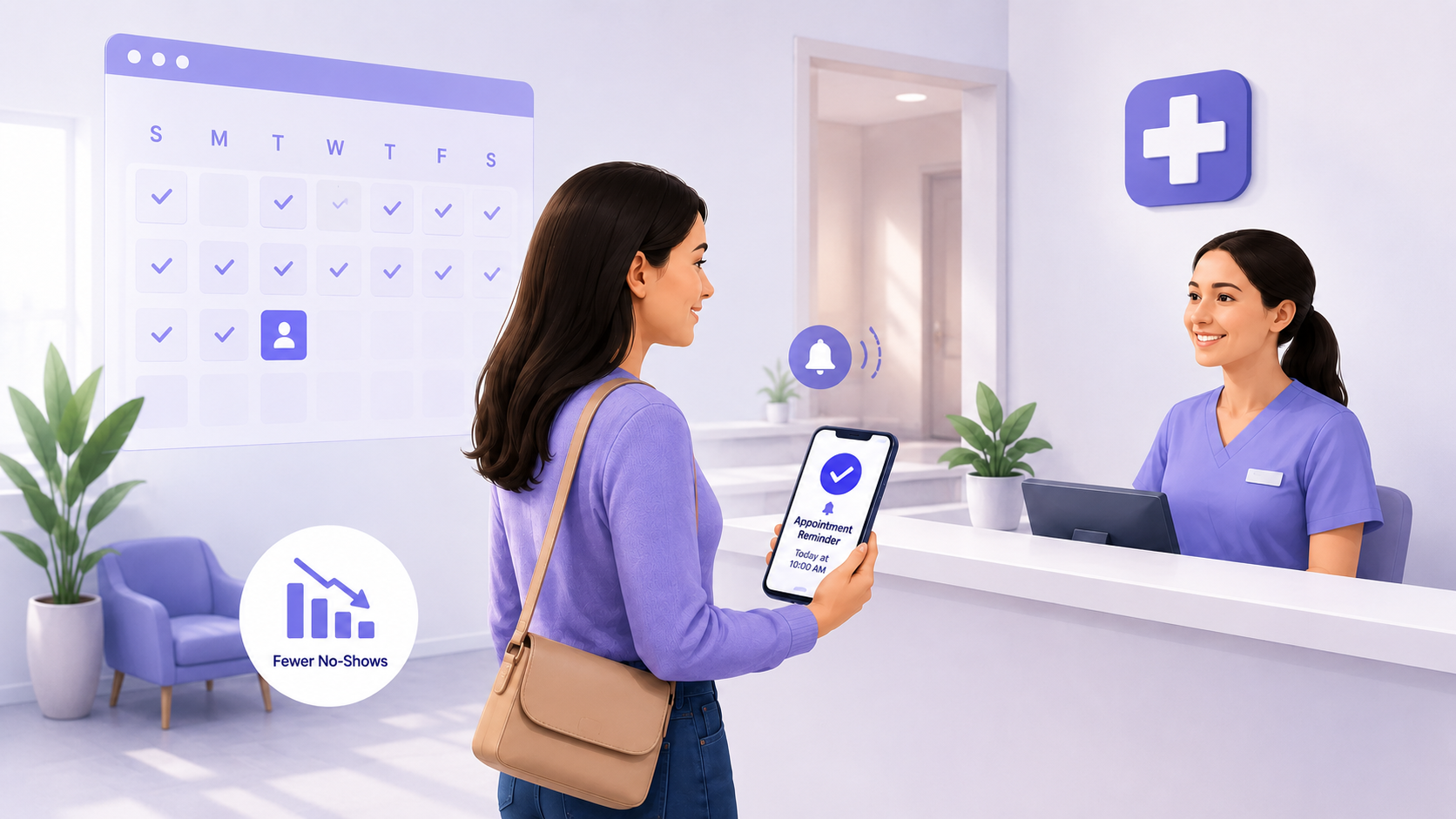
The numbers are hard to ignore. Practices relying on manual reminder processes see no-show rates around 5.9%. Practices running automated systems bring that figure down to 1.8%. That gap is not marginal; it represents dozens of recovered appointments and thousands in protected monthly revenue.
Automating healthcare scheduling removes the memory burden from both sides. Patients get an immediate booking confirmation, a well-timed pre-visit reminder, and a same-day nudge through their preferred channel, text or email, with zero staff effort required to trigger any of it.
When a cancellation does come in, the system recaptures that slot and pings waitlisted patients right away. Online scheduling automation for healthcare turns every cancellation into a same-day fill opportunity rather than a revenue gap sitting open until the next morning.
Not every platform is worth the investment. The right healthcare scheduling software goes beyond slot management; it cuts admin burden, locks down patient data, and handles patient communication around the clock without staff involvement. These three features define the difference between a booking tool and a real automation solution.
Patient self-scheduling puts control in the patient's hands, and that ownership drives higher show rates. Patients who pick their own provider, time, and appointment type commit more strongly than those assigned a slot by phone. Online scheduling automation for healthcare built around self-scheduling also pulls in new patients during off-hours when no staff is available, but the patient is ready to book.
An automated appointment reminders sequence is the highest-ROI feature in any scheduling platform. A post-booking confirmation, a forty-eight-hour reminder, and a same-day text replicate a full-time reminder caller at a fraction of the cost. The sequence runs without staff involvement and consistently delivers patients who show up prepared and on time.
Patient intake automation shifts paperwork from the waiting room into the pre-visit window. The system sends digital forms after booking, collects responses in advance, and pushes data directly into the patient record. Providers arrive informed, visits start on schedule, and online scheduling automation for healthcare with intake automation cuts per-visit admin time from the first appointment forward.
Scheduling data is protected health information, and most generic tools are not built to handle it. HIPAA-compliant scheduling combined with native EHR integration forms the compliance and operational backbone every practice needs before committing to any platform.
When scheduling, intake, and clinical records connect cleanly, data moves through the entire visit lifecycle without manual re-entry or exposure risk. That produces a leaner operation, a defensible audit trail, and a practice built to scale without adding compliance risk as volume grows.
HIPAA-compliant scheduling encrypts every exchange, confirmation, reminder, and intake form in transit and at rest. The platform must enforce business associate agreements, role-based access controls, and audit logs that meet HIPAA's technical safeguard requirements. Skipping compliance does not just risk fines, it costs the patient trust that fills your schedule.
A platform without EHR sync creates a second data silo that costs time and introduces errors. Healthcare scheduling software with native EHR connectors pushes appointments, intake responses, and patient identifiers into the clinical record in real time. Billing and providers work from the same data, reconciliation disappears, and the scheduling layer becomes a natural extension of the clinical system.
Start with three numbers: your no-show rate, your staff-to-patient ratio, and your current EHR. Those figures define exactly what a new platform needs to solve. Online scheduling automation for healthcare ranges from lightweight widgets to full-stack engagement platforms, and the complexity of your workflows, not your budget, should drive the decision.
Rank your requirements in order: HIPAA posture first, EHR integration depth second, feature set third. A feature-rich platform with no native EHR sync creates more manual work than it eliminates. Require configurable reminders, patient self-scheduling rules by appointment type, and patient intake automation that writes directly into the patient record.
Blazeo builds patient engagement platforms designed for healthcare workflows, automated appointment reminders, intake collection, and scheduling logic that cuts no-shows without adding front-desk workload. When we build scheduling automation for healthcare practices, compliance and EHR integration are the foundation, not the afterthought.
Online scheduling automation for healthcare replaces phone-based booking with a digital system that automatically manages confirmations, reminders, and intake. Staff handle exceptions, while the platform captures more appointments with significantly less daily administrative effort.
Automated platforms deliver multi-channel reminders that drive no-show rates from 5.9% down to 1.8%. Patients receiving consistent automated appointment reminders through their preferred channel commit to appointments at measurably higher rates.
HIPAA-compliant scheduling requires encrypted data transmission, business associate agreements, role-based access controls, and audit logging. Every platform handling patient identifiers must meet these technical safeguards before operating legally in U.S. healthcare settings.
Yes. Most healthcare scheduling software lets patients reschedule through their confirmation message directly. Freed slots return to inventory immediately, and waitlist logic fills openings without any staff involvement.
Patient intake automation sends digital forms after booking, collects responses before the visit, and pushes data into the patient record automatically. It removes waiting room paperwork and gives providers critical information before the appointment starts.
Quality healthcare scheduling software integrates natively with major EHR platforms. It syncs appointment data, intake responses, and patient identifiers in real time, eliminating manual re-entry and transcription errors across clinical and administrative records.
Yes, with proper configuration. Patient self-scheduling supports booking rules that control appointment types, provider selection, and available windows. Complex visits require additional verification steps, while routine follow-ups stay fully self-service.
Most practices go live within two to four weeks. Platforms with pre-built EHR connectors move fastest. Staff training stays minimal because the automated scheduling healthcare system manages all routine booking, reminders, and intake tasks independently.
No-shows are not a patient attitude problem; they are a systems problem your practice can solve today. The manual gaps that let appointments fall apart, unreturned calls, forgotten reminders, and missing intake forms disappear the moment you implement the right online scheduling automation for healthcare.
Patients book on their own schedule, reminders go out automatically, and intake data reaches providers before the visit even starts. Your front desk stops chasing confirmations and starts focusing on care. Healthcare scheduling software built for compliance, EHR integration, and multi-channel patient communication does not just cut no-shows, it makes your entire operation run leaner. Now that you know what the right system looks like, ready to see what Blazeo can do for your practice?
