 SmartHub
 Automation
 Appointment Scheduler
 Lead Management
 Dashboard & Reports
 Task Management
 Communications Hub
 Managed chat
 Voice Receptionist
 Appointment scheduling
 Retainer signing
 Home services
 Lawyers and firms
 Medical services
 College admissions
 Real estate agents
 Marketing agencies
 About
About Partner program
 Estimate Your ROI
 Case Studies
 Blog
Blog FAQs
FAQs Login
LoginBest Business Scheduling Software 2026: Compare Features, Pricing & Automation




Products
Industries
Company
Resources

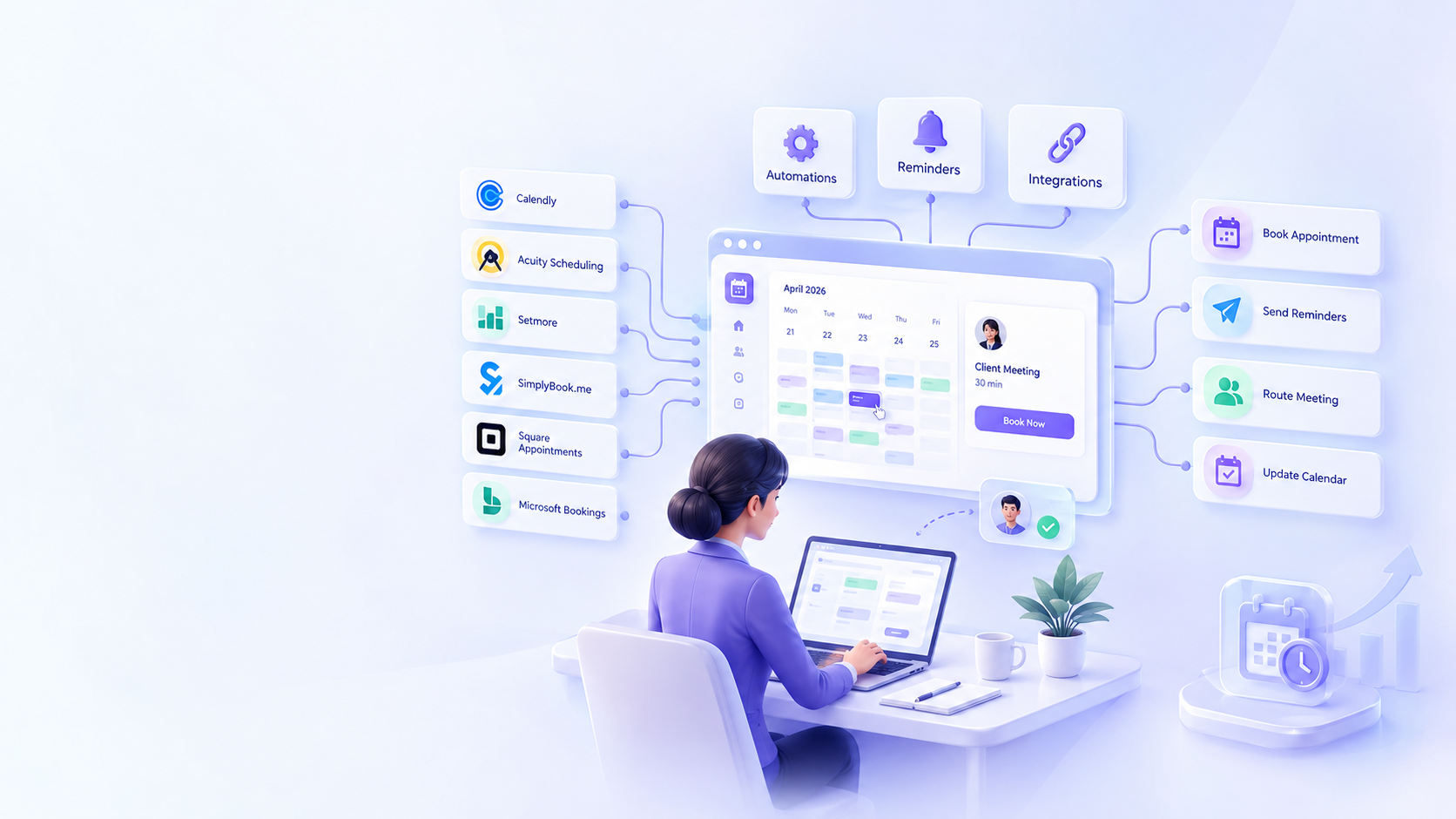
A meeting gets harder to book when every available time needs another email, text, or calendar check. Business Scheduling Software 2026 should do more than give you a booking link. It should show real availability, prevent calendar conflicts, send reminders, route meetings and connect bookings to the tools your team already uses. This guide compares six current scheduling platforms by features, pricing, automation, integrations and business fit. It also covers a real estate workflow, where an inbound call or lead can move from basic qualification to a showing or listing appointment without losing the scheduling thread.
Business scheduling software lets customers or staff choose available times while the business controls the rules behind each booking.
A personal calendar mainly tracks your own commitments. An appointment scheduler adds a customer-facing booking page. Workforce scheduling focuses on employee shifts, while resource scheduling can handle rooms, equipment, or other shared capacity.
For a business, the software should answer a few simple questions:
A consultant may only need discovery-call booking. A salon may need staff calendars, service times and payments. A field team may need people, locations and resources tied to each appointment.
That distinction matters because a simple calendar can look similar to business schedule software while solving a very different problem.
The booking page is what customers see. The rule system behind it is what determines how well the software fits your operation.
| Product | Best fit | Booking method | Team support | Automation | Integrations | Starting price | Free trial | Notable limitation |
| Calendly | Meetings, sales teams | Booking page | Yes | Reminders, routing | CRM, video, payments | Free; $10/seat/mo annual paid | Free plan | Team routing is on Teams |
| Acuity Scheduling | Service businesses | Booking page | Yes | Reminders, forms, payments | Google, Zoom, Stripe, Square | $16/mo annual | 7 days | Starter has 1 calendar |
| Setmore | Small service teams | Booking page | Yes | Email and SMS reminders | Calendar, Zapier, HubSpot | Free; $5/user/mo annual Pro | Free plan | Free plan has fewer reminder options |
| SimplyBook.me | Service businesses | Booking page/widget | Yes | Reminders, payments | Calendars, Zapier, API | Free; $11.90/mo annual Basic | 14 days | Free plan has 50 bookings |
| Square Appointments | Payment-led services | Online booking | Yes | Reminders, rescheduling | Google Calendar, Square | $0 monthly subscription | 30 days on Plus/Premium | Payment processing fees apply |
| Microsoft Bookings | Microsoft 365 teams | Booking page | Yes | Notifications, reminders | Outlook, Teams, Graph API | From $6/user/mo annual* | Microsoft 365 trial | Part of Microsoft 365 |
Prices are based on official vendor pages checked September 23, 2026. Annual pricing is shown where applicable. Microsoft Bookings is included with eligible Microsoft 365 plans rather than sold as a separate standalone license.
Look for recurring availability, minimum notice, buffers, booking windows, blackout dates and time-zone conversion. These rules matter when a consultant blocks lunch, a clinic limits same-day bookings, or a team works across US time zones.
Team scheduling can use round-robin routing, pooled availability, staff calendars, or assigned resources. A service business may need a specific employee or room, while a sales team may route each lead to an available representative.
The lowest advertised price is not automatically the lowest cost for your business. Business Scheduling Software 2026 uses several billing models, including free tiers, per-seat plans, per-location pricing, booking limits and bundled subscriptions.
Calendly has a free plan, with Standard at $10 per seat per month and Teams at $16 per seat per month when billed yearly. Acuity lists Starter at $16, Standard at $27 and Premium at $49 per month when paid annually. Acuity also offers a seven-day trial.
Setmore offers a free plan for up to four users and lists Pro at $5 per user per month on annual billing. SimplyBook.me has a free plan, followed by Basic at $11.90 monthly when billed annually. Its free plan includes 50 bookings.
Square Appointments has a Free option with no monthly subscription charge, although payment processing fees apply. Its Plus and Premium plans currently cost $49 and $149 per location per month and include a 30-day trial.
Microsoft Bookings is included with eligible Microsoft 365 business plans. Business Basic is listed at $6 per user per month when paid yearly, so the useful comparison depends partly on whether your team already needs Microsoft 365.
Also check for extra calendars, locations, SMS charges, payment processing, API access, support tiers and usage limits. Those details can matter more than a small difference in the headline price.
Scheduling automation should continue after someone picks a time.
A common booking flow is simple: availability is published, a customer selects a slot, the calendar updates, confirmation is sent, reminders are triggered and any cancellation or reschedule follows the right path.
From there, the appointment can create a video meeting, update a CRM, collect payment, or trigger follow-up. That turns a booking system into part of the wider customer workflow.
For example, a consultant may send an intake form before a discovery call. A service business may collect a deposit before confirming an appointment. A sales team may send a new booking directly into its CRM.
When comparing automated scheduling software, ask three things: what triggers the automation, what action happens next and where the information goes.
Calendar sync prevents conflicts. CRM integration passes booking data to sales. Payment connections collect money before a service. Automation connectors can move booking events into other business systems.
Email and SMS reminders can confirm appointment details and give customers a path to cancel or reschedule. Some systems also support deposits, cards on file, or no-show policies. Reminders can support attendance, but they cannot guarantee that every appointment will happen.
The right appointment scheduling software for businesses depends on what your team actually needs to book.
A solo professional may only need a booking page, calendar sync, time-zone handling and reminders. Adding complex routing when one person handles every meeting may create more setup without solving a real problem.
A small service business may need staff assignment, service durations, customer forms, payments and recurring appointments. Acuity, Setmore, SimplyBook.me and Square all offer combinations of these tools.
Sales teams should pay closer attention to routing and CRM support. Calendly's Teams plan includes round-robin scheduling, lead qualification and routing, plus Salesforce delivery.
Multi-location businesses add another layer. They may need separate location calendars, staff availability, resource rules and customer booking choices. Square supports scheduling across locations and resources, while SimplyBook.me offers multi-location support through its Enterprise plan.
The term scheduling software small business covers very different workflows. A four-person agency and a four-location salon can both be small businesses, but their scheduling needs are not the same.
Real estate teams often have a gap between the first inquiry and the actual appointment. A prospect may ask about a property, call after hours, request a showing, or want a listing consultation.
Scheduling software becomes more useful when those steps connect. The process can look like this:
Inbound call or lead → basic qualification → calendar check → showing or listing appointment → confirmation → CRM handoff
The intake stage might collect the property of interest, area, timeline, budget, financing or pre-approval status and contact details. The exact questions should follow the brokerage's own qualification process.
A live booking system then checks the right calendar instead of relying on back-and-forth messages. The customer can choose an approved time, receive confirmation and get a rescheduling path when plans change.
An AI receptionist for real estate agents or an automated call answering service for real estate can sit before the calendar. It can collect basic details, identify the reason for the inquiry and move the person toward the next step.
For example, a showing request can move from call intake to available appointment times. The scheduler then confirms the booking and sends the details to the CRM or assigned team member.
The handoff needs clear boundaries. Sensitive questions or matters requiring a licensed professional may need human handling instead of an automated response. The point is to connect call intake with scheduling, not force every part of the conversation into automation.
Real estate teams should also check after-hours coverage, calendar ownership, confirmations, rescheduling, CRM delivery and human escalation.
Before choosing Business Scheduling Software 2026, write down the booking workflow first. Then test each product against it.
Ask:
Use a trial or demo to run a real booking. Test a cancellation, reschedule, team assignment, time-zone change and calendar conflict before buying.
Methodology: This comparison covers six scheduling products selected for common business workflows. Current pricing and major feature claims were checked against official vendor pages on September 23, 2026. Business scheduling prices and plan details can change, so confirm the live terms before purchase.
Compare the workflow, not just the monthly number. The right Business Scheduling Software 2026 should match how your team books, routes, confirms and manages appointments from start to finish.
How online scheduling apps help freelancers book meetings?
They publish availability through a booking page, let clients choose a time, update the calendar and send confirmations or reminders. Time-zone handling is especially useful when clients are in different parts of the US or abroad.
What is an appointment scheduler?
An appointment scheduler is software that lets customers choose available times based on rules you set. Unlike a basic calendar, it can collect booking details, send notifications, handle changes and show availability online.
How appointment scheduling software works?
You connect a calendar, set availability, create event or service types, add booking rules, publish the booking page and let customers choose a slot. The system then updates calendars and sends configured notifications.
How to set up online scheduling?
Connect your calendar, define working hours, create services or event types, set buffers and booking limits, add notifications, test the full flow and publish the booking page or website link.
Is there an app for appointments?
Yes. Options range from simple booking apps to full business systems with staff calendars, payments, reminders and integrations. Check team support, calendar sync, pricing, booking limits and the workflows you need.

