 SmartHub
 Automation
 Appointment Scheduler
 Lead Management
 Dashboard & Reports
 Task Management
 Communications Hub
 Managed chat
 Voice Receptionist
 Appointment scheduling
 Retainer signing
 Home services
 Lawyers and firms
 Medical services
 College admissions
 Real estate agents
 Marketing agencies
 About
About Partner program
 Estimate Your ROI
 Case Studies
 Blog
Blog FAQs
FAQs Login
LoginTop 10 Sales Automation Software for Growing Sales Teams




Products
Industries
Company
Resources

Picture a rep starting Monday with forty unread notifications, three half-finished follow-ups, and no clear sense of which lead actually matters most. This kind of chaos is common once a team starts scaling faster than its processes can keep up. That's exactly the problem sales automation software is meant to solve, taking the routine, repetitive work off a rep's plate so the actual selling gets done.
Multiply one overlooked lead by a whole team running on scattered spreadsheets and half-updated CRMs, and it's easy to see how deals slip through without anyone noticing right away. Instead of reps burning hours on admin tasks, the right platform quietly handles the busywork in the background. So which tools are actually worth considering? Let's get into it.

Pipeline rarely grows in a straight line with headcount. A team closing 20 deals a month can suddenly be staring down 60, still with the same five reps and no extra budget for hires. That mismatch is where things start to crack.
This is really why teams start to automate sales process steps in the first place. Not because it sounds impressive on a slide, but because there's no other realistic way to keep pace. Hand-assigning leads, rewriting the same follow-up for the fortieth time, updating a field after every call- cut that out, and reps get real hours back. Hours that go into calls, not into clicking around a CRM.
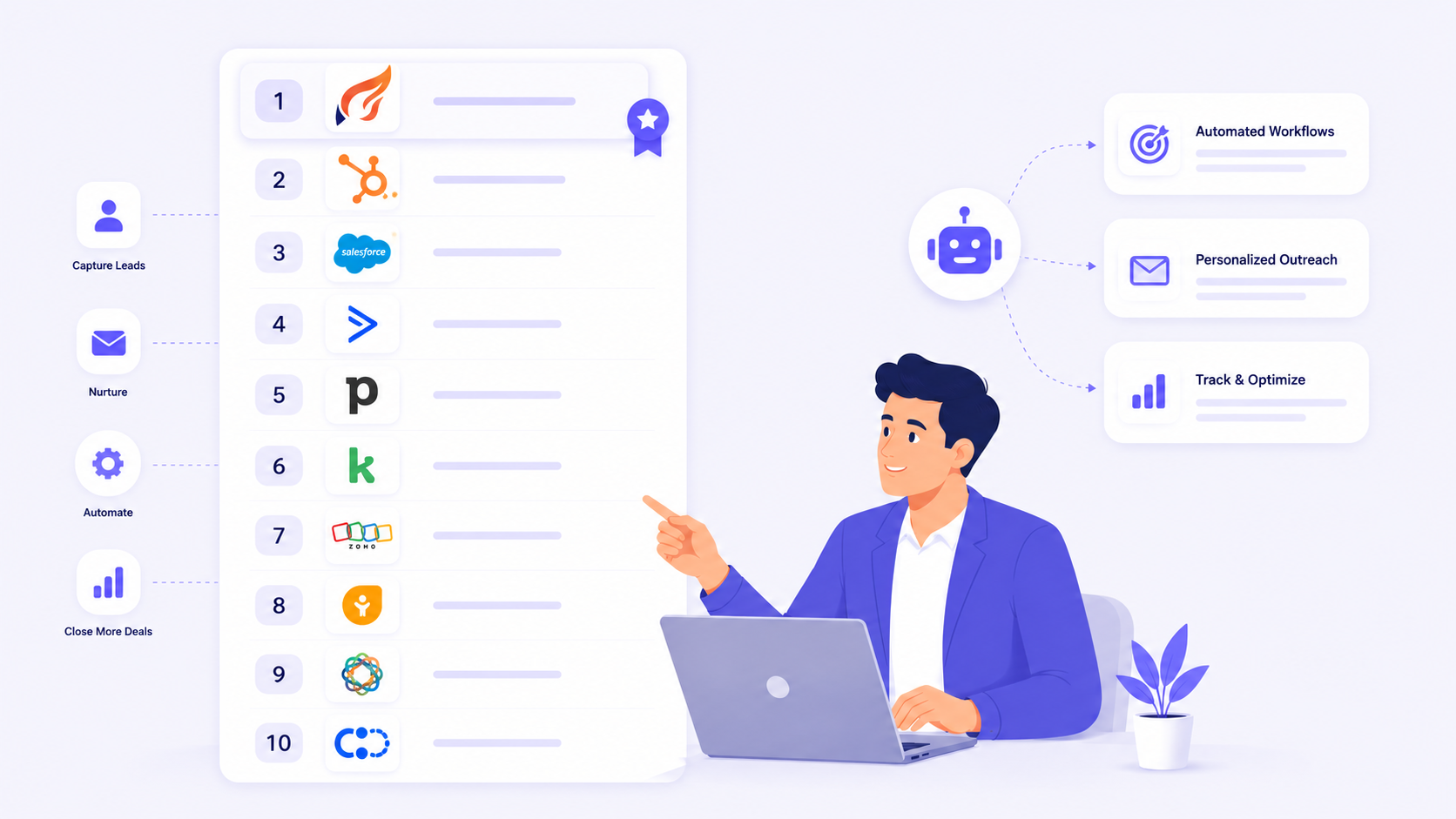
Blazeo is a sales automation software built around lead capture and engagement rather than trying to be everything at once. Live chat responds the moment someone lands on a site, and calls get routed with follow-ups scheduled automatically in the background. It isn't a CRM replacement, and most teams just run it next to one.
Key Features:
Best For: Catching leads before they go cold, then handing them off.
HubSpot made its name in marketing, and Sales Hub is basically the same logic applied to sales instead. Part CRM, part sales automation solutions layer, sequences and pipeline tracking come built in rather than feeling bolted on later.
Key Features:
Best For: Teams already on HubSpot marketing who don't want two systems fighting each other.
Almost every rep has touched Salesforce at some point, and it's stuck around this long as one of the more established sales automation platforms for good reason. It bends to whatever a larger org needs: territories, approvals, custom fields- all of it.
Key Features:
Best For: Bigger teams or those scaling fast that need room to keep customizing.
Apollo puts two things in one place that usually live apart: a contact database and outreach automation. Build a list, launch a sequence, all without hopping to a separate tool just to find people first.
Key Features:
Best For: Outbound teams who'd rather not stitch prospecting and outreach together from separate tools.
Outreach revolves around the sequence: structured, repeatable outreach across email, calls, and social. Teams running a defined playbook tend to end up here, using it as the backbone of their sales automation solutions.
Key Features:
Best For: Teams with an established playbook who want every rep actually following it.
Salesloft leans on cadences, scheduled sequences of touches across email, phone, and social, as its take on sales workflow automation. What sets it apart a little is how much weight it puts on coaching, not just running the sequence itself.
Key Features:
Best For: Teams who want coaching baked into the same system as their automation.
Pipedrive doesn't try to do it all. It's a visual pipeline first, with automation added on to cut setup time rather than demand it. That's more or less the whole pitch behind its sales automation solutions.
Key Features:
Best For: Smaller teams that want something visual without a steep learning curve.
Clay sits earlier in the funnel than most tools here. It pulls data from dozens of sources to build lead lists that are actually accurate, which, honestly, is where a lot of sales workflow automation quietly falls apart for other teams.
Key Features:
Best For: RevOps teams that need clean data feeding whatever sales automation platforms they're already running.
Lemlist is built around one idea: cold email that doesn't sound like a mail merge. Personalized images, video, subject line testing, all aimed at outbound teams that treat email as the main channel. It's become a fairly familiar name among sales automation solutions built for exactly that.
Key Features:
Best For: Teams that live and die by cold email as the main channel.
Zapier isn't really a sales tool, but it's often what quietly holds everything else together behind the scenes. It connects sales automation platforms to hundreds of other apps, so teams can wire up workflows without waiting on engineering.
Key Features:
Best For: Filling gaps between tools that don't talk to each other natively.
|
Tool |
Best For | Key Strength |
Starting Price |
| Blazeo | Fast lead capture and response | Live chat and call automation | Contact for pricing |
| HubSpot Sales Hub | Combined sales and marketing data | All-in-one CRM and automation | Free tier available |
| Salesforce Sales Cloud | Large, complex sales orgs | Customization and scale | Custom pricing |
| Apollo.ai | Outbound prospecting | Database plus automation | Free tier available |
| Outreach | Structured outbound playbooks | Multi-channel sequencing | Contact for pricing |
| Salesloft | Coaching plus automation | Cadences and call intelligence | Contact for pricing |
| Pipedrive | Small to mid-size teams | Simple, visual pipeline | Paid plans from ~$14/user |
| Clay | Data enrichment | Accurate, enriched lead lists | Free tier available |
| Lemlist | Cold email outreach | Personalization at scale | Paid plans from ~$32/mo |
| Zapier | Connecting tools | No-code integrations | Free tier available |

Once the initial setup is done, the day-to-day payoff shows up in a few consistent places. These are the areas teams notice first after switching from manual processes to automated ones.
Nobody signed up for sales to spend their day updating CRM fields, yet somehow that's where a good chunk of the week disappears. Sales automation platforms take that logging and updating off a rep's hands entirely. Add it up across a whole team, and it's basically a full extra day back most weeks.
Wait too long on a lead, and the chances of hearing back drop off fast, sometimes within the first hour or so. Automated routing and instant chat close that window right away, getting someone to a rep or a scheduled follow-up before interest cools off.
Manual entry means typos, duplicate records, blank fields nobody notices until reporting day. Sales workflow automation cuts most of that out by updating records the moment something actually happens, not whenever someone remembers to log it. Matters even more once several people are pulling numbers off the same data.

Not every tool on this list fits every team. A few practical factors tend to matter more than feature lists when it's time to actually choose one.
What works fine for five people rarely holds up at fifty. Smaller teams usually get by with something simple and cheap enough. Bigger teams tend to outgrow that pretty quickly and need the extra structure a larger platform brings.
Hardly anyone's starting from a blank slate. There's already a CRM somewhere, an email provider, a calendar tool everyone's used to. How well a new platform fits with what's already there can be the difference between a smooth rollout and weeks of cleanup after the fact.
Some of the best AI sales automation tools lean on machine learning to score leads or flag what to do next. Others keep it simple with rule-based logic instead. Neither one is automatically better. It really comes down to how much control a team wants to hold onto over its own sales automation solutions.
It's software that takes repetitive sales tasks, follow-ups, data entry, and lead routing off a rep's plate. The point is more time spent actually selling, less time on admin work nobody enjoys.
Could be a few hours, could be several weeks. Simple tools can be live the same day. Bigger, more customized platforms take longer, especially if there's a lot to connect.
Apollo.ai, Salesforce Sales Cloud, and Clay all lean heavily on AI for scoring and enrichment. Which one's actually best depends on the workflow and budget behind it, not a general ranking.
It handles lead capture and engagement, live chat and call automation that responds to prospects fast. Most teams run it alongside a CRM instead of replacing one.
A CRM is where customer data lives. Sales automation software handles the repetitive tasks that happen around that data, sequencing, follow-ups, that sort of thing. A lot of platforms now do both.
Not always. Plenty of platforms have free or low-cost tiers aimed at smaller teams, with pricing climbing as the team or feature list grows.
Yes, and that's actually the more common setup. Rather than replacing a CRM, most of these tools sync with it and automate what happens around it.
Sequencing, lead scoring, pipeline tracking, and reporting show up in some form across nearly all of them. The exact mix shifts depending on whether a tool leans outbound, data, or full pipeline management.
Picking the right sales automation software isn't really about finding the most popular name on this list. It's about matching a tool to how your team already sells, then letting that shape the decision. Some teams just need faster lead response. Others need deeper customization, or cleaner data feeding the pipeline before anything else matters.
Every platform covered here solves a slightly different problem, from outbound prospecting to enrichment to keeping tools connected. Rather than chasing the perfect fit right away, it usually helps to start with whatever's actually slowing the team down and test tools built around that specific gap. The right setup tends to become obvious once a couple of these are actually in use.